自訂 VS Code 背景
使用 vscode-background 擴充功能,VS Code 設定自己的背景圖片與顯示樣式。
1. 先從 Extension 下載
到 VS Code 的 Extensions 搜尋並安裝 background 擴充功能。
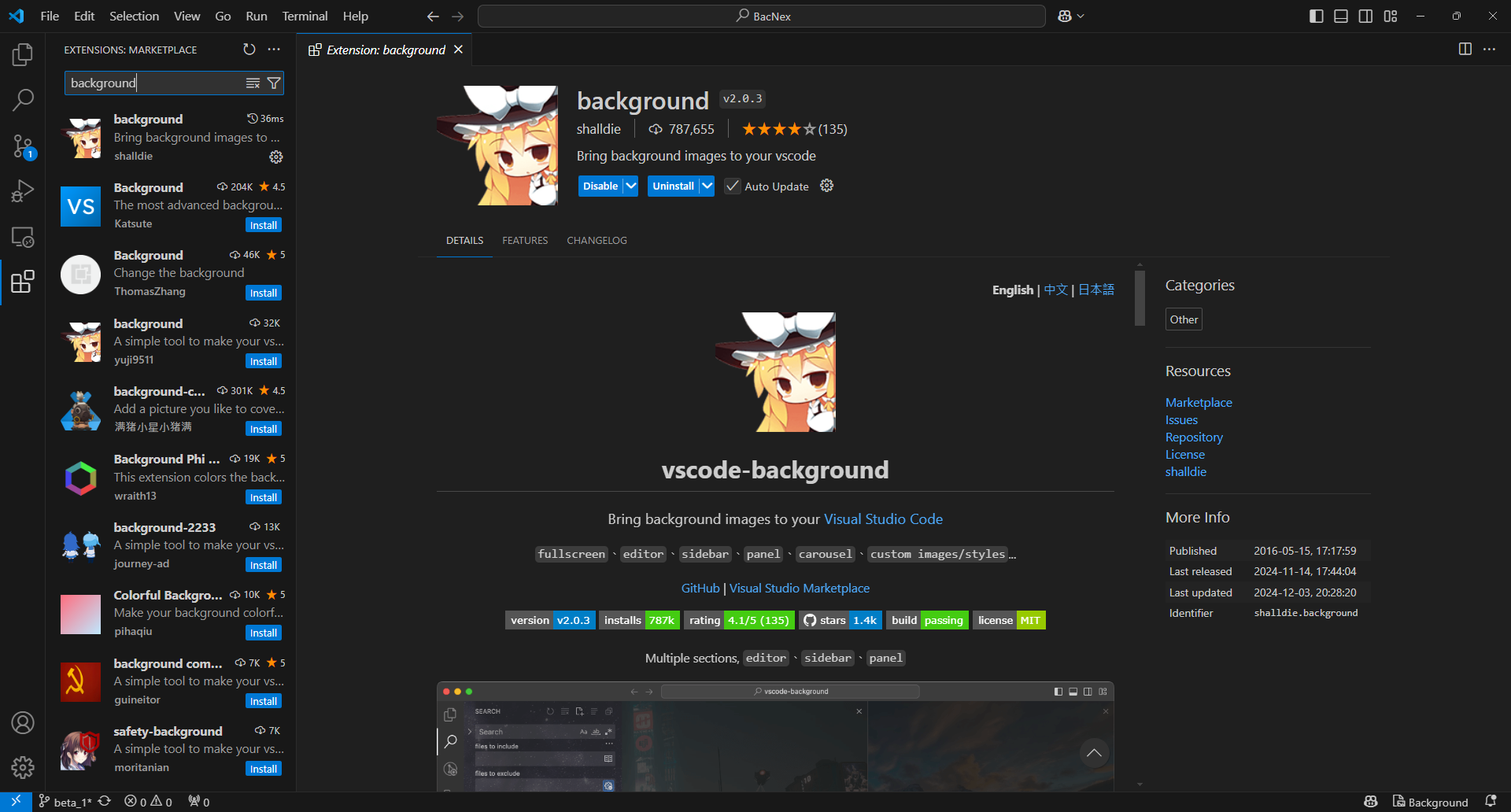
安裝完成後,點選模組右下角的齒輪,選擇 Settings,再選取 Full screen config setting.json。
2. 設定
點選後,擴充功能會自動產生設定框架。將圖片路徑填入 background.customImages:
// default script
{
  "background.enabled": true,
  "background.useDefault": false,
  "background.customImages": [
    "file:///C:/Users/Ryno/.vscode/wallpaper.png" // 本機相片路徑
  ],
  "background.style": {} // 找到喜歡的照片後,再調整位置和大小
}
Basic background style
在 background.style 中設定背景的位置、大小與透明度:
// basic script
"background.style": {
  "content": "''",
  "pointer-events": "none",
  "position": "absolute",
  "z-index": "99999",
  "width": "100%",
  "height": "100%",
  "background-position": "center",
  "background-repeat": "no-repeat",
  "background-size": "100%,100%",
  "opacity": 0.1
}
參考資料: